
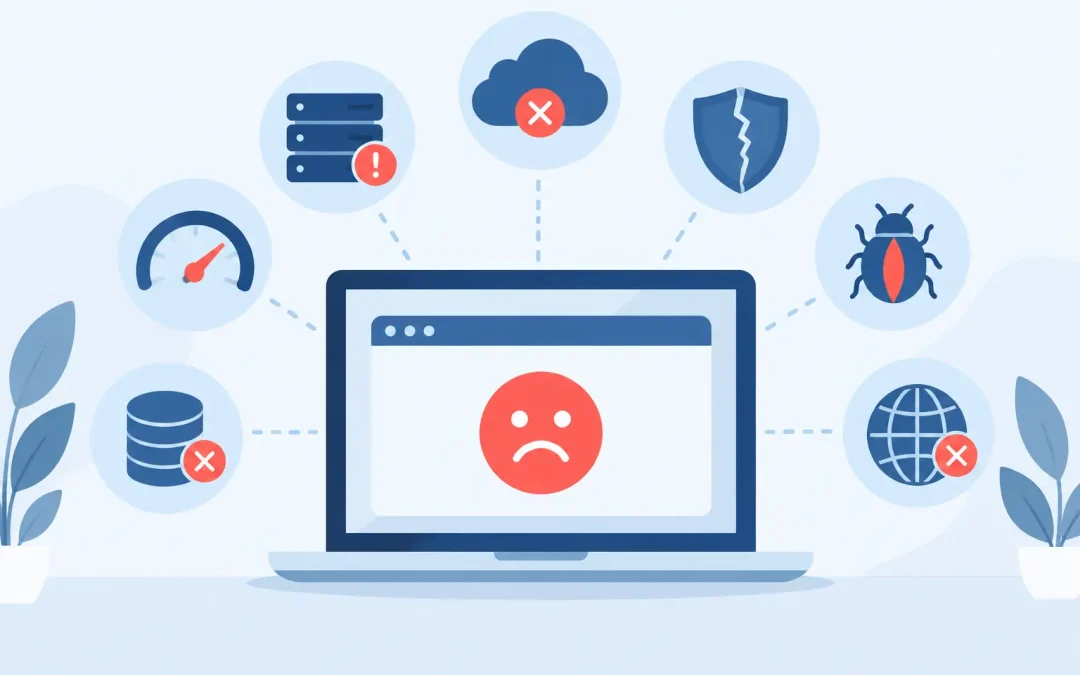
A customer finds your dispensary menu, CBD catalog, or seed-store product page through search, clicks to buy, and gets an error instead. That missed visit may be a missed sale, but the larger cost is trust. Understanding what causes website downtime helps cannabis businesses prevent avoidable outages and respond quickly when something goes wrong.
For a regulated or cannabis-adjacent business, your website often carries more weight than a standard brochure site. It may be the place customers confirm store hours, review educational content, join a mailing list, browse products, or start an order. Downtime can interrupt all of it. The good news is that most outages have identifiable causes, and many can be reduced with the right hosting, maintenance, and recovery plan.
What Causes Website Downtime?
Website downtime occurs when visitors cannot reach your site or cannot use a critical part of it. Sometimes the entire domain is unavailable. Other times, the homepage works while checkout, product pages, contact forms, or your WordPress admin area fail.
The cause is not always the web host. A website is a stack of connected services: hosting hardware, network connections, DNS records, software, plugins, payment tools, security layers, and the site itself. A failure in any one of those areas can make your business appear offline.
1. Server hardware or data center problems
Servers are physical machines. Even in well-managed environments, hardware can fail due to a bad drive, power issue, overheating component, or network equipment problem. Data centers also face occasional power, cooling, or connectivity events.
This is where a provider’s infrastructure and response procedures matter. Quality hosting companies use monitored servers, redundant components where appropriate, and backups so a single incident does not become a permanent data loss event. No provider can honestly promise that failures will never happen. What separates dependable hosting is how quickly the issue is detected, isolated, and resolved.
2. Traffic spikes that exceed available resources
A sudden rise in visitors can be good news until the site cannot handle it. A feature in a local publication, a popular social post, a product drop, or a holiday promotion can send far more traffic than your current hosting plan expects.
On shared hosting, every account has resource limits designed to keep one busy website from affecting others. If your site consistently uses too much CPU, memory, or disk activity, it may slow down or temporarily become unavailable. An online store with large unoptimized images, expensive database queries, or too many background tasks can hit those limits sooner than expected.
The answer depends on the reason for the demand. A temporary promotion may call for caching and image optimization. Ongoing growth may mean it is time to move to higher-performance WordPress hosting or a plan with more resources. Scaling is not just about buying a bigger plan. It is about making sure the site uses its resources efficiently.
3. DNS errors and expired domain registrations
DNS is the system that tells browsers where your domain lives. If DNS records are changed incorrectly, nameservers are pointed to the wrong place, or a domain expires, visitors may not be able to locate your website at all.
These outages can be especially frustrating because the website files and server may be perfectly healthy. The problem is simply that the domain no longer points to them. DNS changes can also take time to spread across the internet, so a site can appear to work in one location but not another.
Keep domain registration contact details current, enable auto-renewal, and document who has access to your registrar account. Before changing nameservers or important records, take a screenshot or export of the existing settings. For a business website, a five-minute DNS shortcut can create a much longer troubleshooting job.
4. WordPress core, theme, or plugin conflicts
WordPress is flexible because it can be extended with themes and plugins. That flexibility also introduces risk. A plugin update may conflict with your theme, an older PHP version, another plugin, or a WooCommerce extension. In some cases, one update can trigger a white screen, a fatal error, or a broken checkout page.
Outdated software is risky, but blindly updating everything on a live store can be risky too. The practical approach is to maintain a current backup, apply updates on a regular schedule, and test major changes before pushing them to a busy site. This matters most when your site includes subscriptions, product variations, inventory connections, age gates, or custom ordering functions.
If an update causes trouble, a recent backup gives you a reliable way to restore service while the conflict is investigated. That is much better than trying to repair a broken production site while customers are waiting.
5. Security attacks and malicious activity
Automated bots constantly scan websites for weak passwords, outdated plugins, exposed login pages, and known vulnerabilities. Some attacks aim to install malware. Others attempt to overwhelm a site with traffic, known as a denial-of-service attack, or repeatedly guess login credentials.
Cannabis businesses can attract added attention because of the industry they serve. That does not mean every site will be targeted, but it does mean security should be part of everyday operations rather than an afterthought. Use strong, unique passwords, limit administrator accounts, keep WordPress components updated, and use security tools suited to your setup.
A web application firewall, malware scanning, account isolation, and monitored hosting can reduce exposure. They do not remove every risk, but they make common attacks harder to execute and easier to identify. If your site has been compromised, the right response is containment, cleanup, password resets, and a review of how the access occurred – not simply putting the site back online and hoping it stays there.
6. Coding mistakes and failed site changes
A developer may upload an incorrect file, change a database setting, edit a theme function, or deploy code with an error. Even a small typo in a configuration file can take down a website. This is common on sites that use custom development, API integrations, or heavily modified WooCommerce stores.
Before editing live files, create a backup and use a staging environment when possible. A staging site is a private copy where you can test updates, design revisions, and code changes without risking the public website. It adds one more step to the process, but it is far less expensive than discovering a problem after a launch announcement or paid advertising campaign has started.
7. Database failures and storage limits
WordPress, WooCommerce, and many other platforms depend on a database to display content, process orders, manage user accounts, and store settings. If the database becomes corrupted, overloaded, or disconnected, pages may return errors even though the server itself is still running.
Storage limits can create a similar problem. Automatic backups, email inboxes, product images, log files, and old staging copies all consume space. Once an account reaches its storage allowance, new files may not be written correctly, email may stop arriving, and updates can fail.
Review disk usage periodically, especially after adding a large product catalog or importing media. Keep backups, but do not allow unnecessary duplicate archives to quietly fill the account. A hosting support team can often help identify what is using space when the numbers do not make sense.
8. Third-party service outages
Your website may rely on services outside your hosting account, including payment processors, email delivery tools, shipping calculators, inventory systems, map embeds, analytics scripts, and content delivery networks. If one of those providers has an outage, your site may be partially functional but unable to complete a sale or send confirmation emails.
This is why it helps to distinguish between full downtime and a service-specific failure. If customers can view products but cannot check out, the hosting server may not be the problem. Check error messages, test the affected feature, and review the status of the connected service before making major site changes.
For critical functions, consider whether there is a fallback. For example, a clear contact option can help preserve a lead when an online form is unavailable. The best backup plan varies by business and by the tools you rely on.
9. Human error and delayed response
Some outages begin with a simple mistake: an unpaid renewal, a deleted file, an incorrect redirect, a password shared too broadly, or a rushed change made without a backup. Human error is unavoidable. The goal is to limit the damage and shorten the recovery time.
Create basic ownership rules for your website. Know who controls the domain, hosting account, WordPress administrator access, business email, and payment integrations. Keep credentials in a secure password manager rather than in old emails or personal notes. When an emergency happens, clear access and accurate information save valuable time.
How to Reduce Downtime for Your Business Website
The strongest protection is a combination of dependable hosting and disciplined site management. Choose a host that accepts your cannabis-related business, provides current server software, includes regular backups, and offers real support when you need help. Weed Hosts is built for cannabis, CBD, seed, medical marijuana, and mushroom businesses that need that industry-aware hosting support without unnecessary complexity.
Then maintain the site itself. Update WordPress and plugins carefully, remove tools you no longer use, optimize large images, monitor storage, and test contact forms and checkout flows after major changes. For ecommerce sites, test an order periodically as a customer would. A homepage can look fine while a broken payment setting quietly costs you sales.
It also pays to decide what you will do before an outage occurs. Keep a recent backup, write down your key account contacts, and know how to place a maintenance message or notify customers through email and social media if needed. An outage is stressful, but a prepared business can communicate clearly and restore service faster.
Your website does not need to be complicated to be dependable. Give it the same attention you give inventory, customer service, and compliance. A few practical safeguards today can keep a temporary technical issue from becoming a lost weekend of sales and unanswered customer questions.