
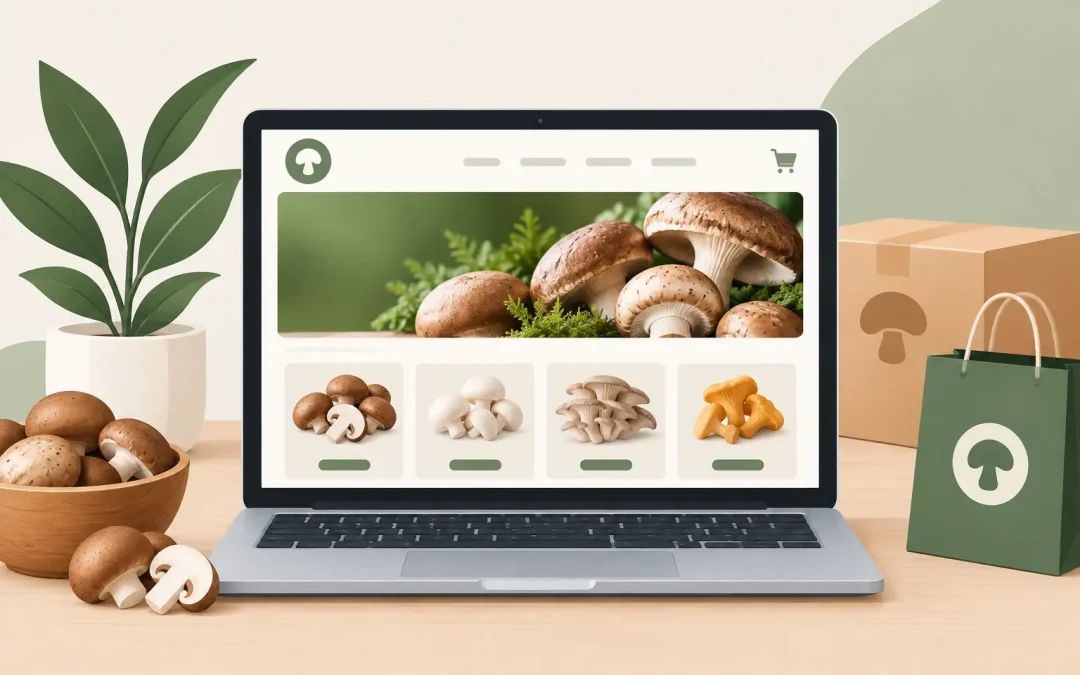
A mushroom website can look polished and still fail at the moment a customer asks the questions that actually drive a purchase: What is this product? Is it legal where I live? Will it arrive safely? Can I trust this company with my card? If you are learning how to launch a mushroom website, the goal is not simply to get pages online. It is to build a clear, dependable storefront that gives visitors enough confidence to take the next step.
For mushroom brands, that process begins with defining your category, your customer, and the rules that apply to your business. A gourmet grow-kit company, a functional mushroom supplement brand, and a company operating in a legally regulated psilocybin market need very different website structures. Get that foundation right before selecting a theme or uploading product photos.
Start With the Business Model and Compliance Boundaries
Your website must reflect what you actually sell and where you are allowed to sell it. For gourmet mushrooms, spawn, grow kits, and educational content, the path may be relatively straightforward. Functional mushroom products still require careful product descriptions, ingredient information, and disciplined marketing claims. Regulated psychedelic products and services require the closest attention to state and local rules, licensing requirements, age restrictions, and delivery or pickup limitations.
Do not treat your footer as a legal strategy. Before launch, confirm your operating area, fulfillment rules, tax responsibilities, refund policy, privacy policy, and terms of service with qualified legal and tax professionals. Your website should never make medical claims that your products cannot support. Phrases promising to cure, treat, or prevent conditions can create avoidable risk, especially for supplements.
A clear compliance approach also shapes your technology choices. Some general hosting companies, payment providers, and ecommerce tools may restrict certain mushroom-related businesses or product categories. Ask direct questions before committing to a platform. It is much easier to choose an accepting provider early than to rebuild after an account review.
Choose Hosting That Will Support Your Mushroom Website
Cheap hosting is only a deal if the site stays online, loads quickly, and comes with real support when something breaks. Your host should be comfortable with your type of business, provide reliable US-based infrastructure, include SSL support, and make backups and restores simple. For a store, you also need enough resources for product images, inventory plugins, checkout traffic, and marketing campaigns.
WordPress with WooCommerce is a practical choice for many mushroom businesses because it gives you control over content and ecommerce in one place. You can publish cultivation guides, ingredient explainers, wholesale pages, and product collections without being locked into a limited storefront template. It also lets you grow from a simple informational site into a full online store when your business is ready.
Look for cPanel access if you want straightforward control over email accounts, files, databases, and domains. Automatic backups matter just as much. A plugin update, theme conflict, or accidental edit should not cost you the site you worked hard to build. Security features, current PHP support, malware protections, and responsive technical assistance are not extras for a business site. They are part of protecting your revenue.
Weed Hosts provides cannabis- and mushroom-friendly hosting, WordPress support, and hands-on website help for businesses that do not want to be treated like an exception. That industry understanding can remove a lot of uncertainty during launch.
Build Pages That Answer Buying Questions
A successful mushroom website does not make visitors hunt for basic information. Your homepage should state what you sell, who it is for, and what makes your brand credible within seconds. Use a focused headline, a strong product image, and a clear path to shop, learn more, or contact your team.
Your core pages should include an About page, contact information, product or service pages, shipping and returns details, privacy policy, terms of service, and any disclosures your category requires. If you sell products online, give every item its own complete page. Include product photos, size or quantity, ingredients or materials, directions for use where appropriate, storage information, shipping limitations, and realistic answers to common concerns.
For functional mushroom brands, plain language is your advantage. Explain whether an item contains fruiting body, mycelium, extracts, powders, or a blend. Identify the mushroom species and list ingredients clearly. If you provide testing information, sourcing details, or quality standards, present them in a way customers can understand without forcing them through a science lesson.
For cultivation businesses, practical instructions can be a major sales tool. Explain what a customer receives, the conditions needed to grow successfully, expected timelines, and what support is available if they have trouble. Great educational content reduces support tickets and helps first-time buyers feel capable.
Make Trust Visible Before Checkout
Trust signals belong throughout the site, not buried on one page. Display a business email address, a working contact form, and a phone number if your team can answer calls. Use real product photography whenever possible. State your shipping timeline plainly, and do not hide return conditions behind vague language.
Customer reviews can help, but only if they are authentic and specific. A short review describing packaging quality, grow results, flavor, or customer service often carries more weight than a dozen generic five-star comments. If you are new and do not have reviews yet, lead with accurate product information and responsive service instead of trying to look bigger than you are.
Set Up Ecommerce Carefully
Checkout is where a promising website becomes a real sales channel. Configure your product catalog, taxes, shipping zones, inventory notices, confirmation emails, and refund workflow before announcing the store. Place at least one test order yourself. Check the mobile experience, the confirmation email, the payment flow, and the order notification your team receives.
Payment processing deserves extra care. Approval policies vary by processor, product type, location, and claims used in your marketing. Be transparent in your application and avoid assuming that a provider supports every mushroom category. If your product is restricted or regulated, use a payment solution that has explicitly approved your business model.
Keep the checkout focused. Ask only for information necessary to process the order, provide clear shipping costs before payment, and offer a support contact for customers who encounter issues. If you sell products with shipping restrictions, build those restrictions into your store settings rather than relying on customers to interpret a disclaimer.
Create Content That Brings the Right Visitors
Your store pages convert existing interest. Educational content creates that interest over time. Write useful articles based on the questions your customers already ask: how to store lion’s mane powder, what to expect from an oyster mushroom grow kit, how to choose a substrate, or how your extracts are made. Answer the question directly, then naturally point readers toward relevant products or services.
Avoid publishing thin articles just to fill a blog. One accurate, well-organized guide can outperform ten short posts that repeat the same claims. Use descriptive page titles, useful headings, original images, and clear product categories. These basics help customers and search engines understand your site without turning every paragraph into a sales pitch.
Email capture is also worth setting up at launch. Offer something practical, such as a cultivation checklist, recipe collection, care guide, or first-order discount if it fits your margins. A visitor may not be ready to buy today, but a helpful follow-up can bring them back when they are.
Test the Site Before You Promote It
Before posting your new website on social media or sending an email announcement, review it like a skeptical customer. Test it on a phone, tablet, and desktop browser. Check every navigation item, form, product variation, policy page, and call-to-action button. Read the site aloud to catch awkward wording and missing details.
Pay particular attention to speed. Large, uncompressed images are one of the most common reasons ecommerce sites feel slow. Use properly sized images, limit unnecessary plugins, and keep your theme clean. A fast site is easier to shop, more credible, and less likely to lose a visitor before they see your products.
After launch, use customer questions as your improvement list. If people repeatedly ask whether a product ships to their state, add the answer to the product page. If customers cannot find a grow guide, make it more visible. A website is not a brochure you finish once. It is a working part of your business that should get clearer and more useful as you learn.
Your first version does not need every feature. It needs accurate information, a trustworthy checkout, dependable hosting, and a real way for customers to reach you. Launch that foundation, listen closely to what visitors need, and keep making the next purchase easier than the last.