
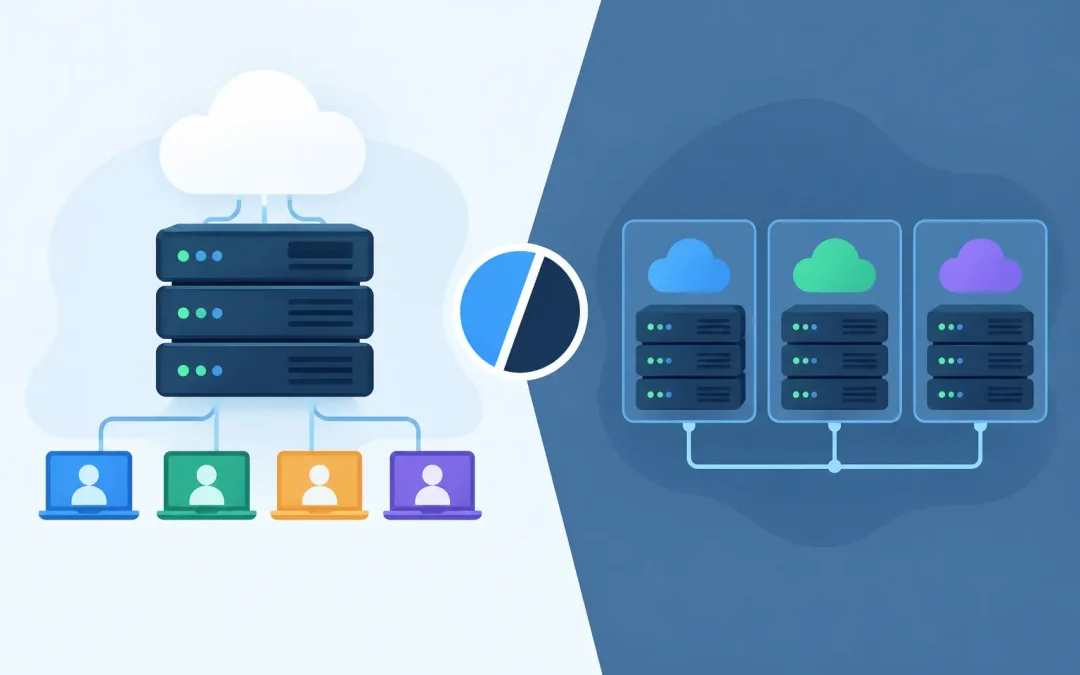
A dispensary directory that gets a few hundred visits a month does not need the same hosting setup as a WooCommerce store processing orders, running promotions, and publishing new product drops every week. The shared hosting versus VPS hosting decision comes down to what your site does today, how much traffic it receives, and how much room you need to grow without overspending.
For cannabis, CBD, seed, medical marijuana, and mushroom businesses, there is one requirement that comes first: your host must accept your type of business. After that, the right choice is usually less complicated than the technical terms make it sound. Shared hosting is the practical, affordable starting point for many small businesses. A VPS is a step up for websites that need more consistent resources and greater server control.
What Shared Hosting Means for Your Business
Shared hosting places multiple websites on one physical server. Each account has its own area, files, login, and resource limits, but the server hardware is shared among customers. Think of it as renting a well-managed office in a larger building instead of leasing an entire floor.
This model keeps monthly costs low because the server’s resources are divided efficiently. For a new cannabis brand, informational website, blog, local service provider, or early-stage online store, that can be exactly what you need. You get a professional home for your domain, email, WordPress installation, databases, SSL certificate, backups, and site files without paying for capacity you will not use.
A quality shared plan is not simply a bargain-bin option. Modern shared hosting can include SSD storage, cPanel access, current PHP versions, automated backups, security controls, and WordPress tools. In a properly managed environment, technologies such as CloudLinux and CageFS help separate accounts and prevent one website from freely consuming resources assigned to another.
For business owners who would rather focus on inventory, compliance, content, and customers, shared hosting also reduces the technical workload. Your provider handles the server-level maintenance while you manage the parts of your site that matter to your operation.
Where Shared Hosting Has Limits
Because resources are shared, there is a ceiling. A sudden surge from a social campaign, a high-volume product launch, or a plugin-heavy WooCommerce store can demand more CPU, memory, or database activity than a shared plan is designed to provide. A well-configured shared environment limits the effect of other accounts, but it cannot turn an entry-level plan into a dedicated server.
Shared hosting also provides less freedom to change server settings. You can manage your website through cPanel and WordPress, but you generally cannot install custom server software, change core operating-system settings, or configure every service exactly as you choose.
That is not a problem for most standard WordPress sites. It matters when your website has advanced development needs, high traffic, custom applications, or operational demands that require dedicated resources.
What VPS Hosting Changes
VPS stands for virtual private server. A physical server is divided into separate virtual servers, each with its own allocated resources. You still share the physical machine, but your VPS has a more defined portion of CPU, RAM, storage, and processing capacity than a typical shared account.
The practical benefit is consistency. If your site receives more visitors, runs complex WooCommerce functions, has a large product catalog, or relies on resource-intensive plugins, a VPS gives it more room to operate. Pages can remain more responsive during busy periods because your hosting resources are reserved for your virtual environment.
A VPS also offers more control. Depending on the plan, you may have root access or the ability to choose software configurations, security rules, and performance settings. Developers and technically experienced teams value that flexibility, especially when they are running custom applications or integrating specialized tools.
But control comes with responsibility. An unmanaged VPS requires someone to maintain the operating system, apply patches, monitor security, configure services, and troubleshoot problems. A managed VPS shifts more of that work to the host, but costs more. Before choosing a VPS, be honest about who will handle the technical side when something needs attention at 10 p.m. on a Friday.
Shared Hosting Versus VPS Hosting: The Real Differences
The biggest difference is not the label. It is the relationship between your website’s demands and the resources available to it.
With shared hosting, you are paying for an efficient, managed environment built for common website needs. It is cost-conscious and easy to operate. With a VPS, you are paying for a larger, more predictable allocation of resources and a higher degree of customization.
Performance follows the same pattern. A properly optimized WordPress site on shared hosting can load quickly and serve a meaningful audience. Good hosting is only one part of performance – image sizes, caching, themes, plugins, and database cleanup matter too. Moving an unoptimized site to a VPS may improve capacity, but it will not fix oversized images, poorly coded plugins, or a cluttered checkout process.
Security is also more nuanced than many hosting comparisons suggest. A VPS can provide more isolation and allow custom security configurations, but it is not automatically safer. An unpatched VPS with weak passwords is a risk. A carefully managed shared account with account isolation, malware scanning, backups, SSL, and strong WordPress practices can be an excellent fit for a small business.
Cost is where shared hosting has a clear advantage. It offers a low-risk way to get online and validate your site before committing to higher monthly expenses. A VPS is worth the additional investment when its resources solve a real operational problem, not simply because it sounds more advanced.
When Shared Hosting Is the Smarter Choice
Choose shared hosting when your website is new, your budget is tight, or your traffic is steady rather than intense. It is often the right home for a cannabis blog, a brand site, a simple medical marijuana information site, a seed company catalog, or a small WooCommerce store with a manageable number of products and orders.
It is also a strong choice if you want straightforward tools. With cPanel and one-click WordPress options, a business owner can create email addresses, manage files, review backups, add domains, and handle everyday tasks without server administration experience.
For many operators, the best path is to start with a dependable shared plan and invest the savings in a better website, original product photography, compliant content, search visibility, or customer service. Those improvements often create more business value than buying server capacity too early.
Signs Your Website Is Ready for a VPS
A VPS deserves consideration when your site regularly reaches its shared-resource limits, slows down during predictable traffic spikes, or requires software and configurations that shared hosting cannot support. Repeated checkout delays, database timeouts, and slow WordPress administration during high-traffic periods are signals worth investigating.
Growth alone is not always a reason to upgrade. First, check whether caching is enabled, images are compressed, plugins are necessary and current, and your theme is efficient. If the site is optimized and still outgrowing its plan, then a VPS can be a sensible next step.
An established cannabis ecommerce store is a common example. More products, more product variations, customer accounts, inventory integrations, payment workflows, and order data create more work for the server. A VPS can provide the breathing room needed to keep the shopping experience reliable as the business expands.
Do Not Overlook Cannabis-Friendly Support
Hosting specifications matter, but support matters just as much when your website is tied to revenue and customer trust. A provider should be clear about accepting cannabis-related businesses and should be available when you need help with migration, WordPress issues, email setup, backups, or unexpected site behavior.
Weed Hosts works with cannabis-focused businesses that need both accessible hosting and real assistance, whether they are launching a first WordPress site or supporting a growing store. The right plan should feel understandable, not like a technical hurdle placed between you and your business.
Start with the hosting level that matches your current workload, keep your site maintained, and watch how it performs during your busiest periods. When your growth creates a genuine need for more resources, upgrading should feel like a practical business move, not a costly guess.