
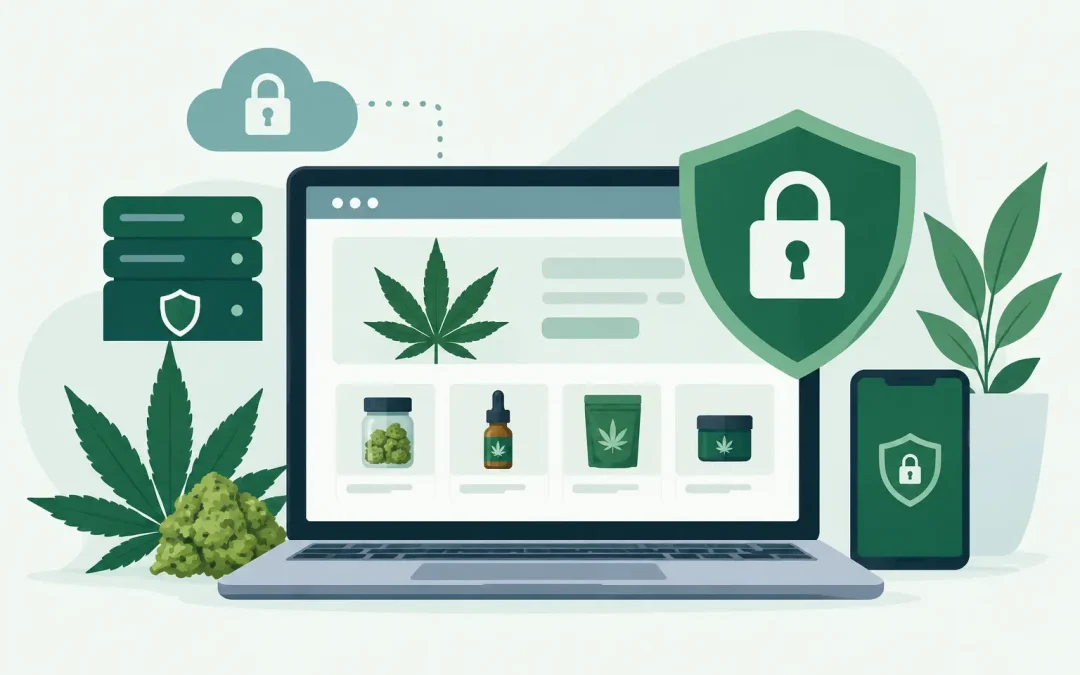
A dispensary website can lose sales long before a hacker steals a customer record. A slow checkout, a browser security warning, a redirected product page, or a site that disappears during a promotion can send shoppers straight to a competitor. If you are asking how to secure dispensary website operations, start by treating security as part of daily business continuity, not a technical task to revisit after something breaks.
Cannabis businesses have a unique risk profile. They often operate under strict state rules, handle customer data, run high-value promotions, and face more vendor restrictions than mainstream retailers. The right approach combines secure hosting, disciplined access controls, reliable backups, safe payment practices, and a plan for responding quickly when something looks wrong.
Start With Cannabis-Friendly, Security-Focused Hosting
Your host is the foundation of your website security. A low-cost account may look appealing, but it is not a value if the provider does not support cannabis businesses, cannot help during an outage, or leaves account security entirely to you.
Choose a hosting provider that explicitly accepts your business category and offers features such as SSL support, automated backups, malware monitoring, account isolation, current PHP versions, and responsive support. In a shared-hosting environment, account isolation matters. Technologies such as CloudLinux and CageFS help prevent one compromised account from easily affecting another account on the same server.
Server location can also affect performance and support expectations. For a US dispensary serving US shoppers, US-based infrastructure can simplify operations and reduce latency for local visitors. More important than any single specification is having a host that can explain what is protected, what you are responsible for, and how quickly you can restore your site if needed.
At Weed Hosts, cannabis-friendly hosting, cPanel access, automated backups, and hands-on support are designed to give operators a practical foundation without requiring them to become server administrators.
Lock Down Every Way Into the Site
Most website compromises do not begin with a dramatic technical exploit. They begin with a reused password, an old employee account, an unpatched plugin, or a login page exposed to automated attacks.
Start with unique, long passwords for hosting, WordPress, email, domain registration, payment tools, analytics, and any point-of-sale integrations. Use a password manager rather than relying on staff to remember complicated passwords. If a vendor or staff member leaves, remove their access immediately instead of changing only the main administrator password.
Turn on two-factor authentication wherever it is available. Prioritize your hosting account, domain registrar, business email, WordPress administrators, and financial tools. Email deserves special attention because password-reset links often land there. If someone gains control of your business email, they may be able to reset access to nearly every other service.
Keep the number of WordPress administrators small. A budtender who needs to update store hours does not necessarily need permission to install plugins, edit theme code, or create new admin accounts. Give each person an individual account with only the access required for their role. Shared logins make it difficult to see who changed what and make offboarding much harder.
Protect Your Domain Name
Your domain is one of your most valuable digital assets. If an attacker takes it over, they can redirect visitors, interfere with email, or hold your business hostage. Use two-factor authentication at your domain registrar, make sure the registration contact email is current, and enable domain-transfer lock.
Avoid registering a critical domain under a personal email address belonging to a former contractor or employee. The business should control the account, billing method, recovery email, and authentication details from day one.
Keep WordPress, Themes, and Plugins Current
WordPress is a strong platform for dispensary sites, but only when it is maintained. Core updates often include security fixes. The same is true for themes and plugins, especially WooCommerce extensions, page builders, forms, inventory connectors, and SEO tools.
Update on a schedule, but do not blindly click every update button on a live ecommerce store during a busy sales period. First create a backup. For larger stores, test significant changes on a staging copy if available. Then confirm that product pages, carts, checkout, age-gate tools, contact forms, and mobile navigation still work after the update.
Delete plugins and themes you no longer use. Disabled software can still create risk if it remains installed and outdated. Also be selective about what you add. A plugin with a vague developer history, poor reviews, or no recent updates is not worth a convenience feature.
A good rule is simple: every plugin should have a clear business purpose, an active maintenance record, and a person responsible for keeping it updated.
Secure Customer Data and Checkout Without Overcollecting
Dispensaries should collect only the customer information they truly need. Every extra field in a form creates more data to protect and more concern for shoppers who are already cautious about privacy.
Use HTTPS across the entire site, not only on checkout pages. An active SSL certificate protects information in transit and gives customers the browser indicators they expect. If your site still loads mixed content, such as insecure images or scripts on secure pages, fix it promptly. Mixed content can trigger warnings and weaken trust.
For online payments, work with a processor and ecommerce setup appropriate for your business type. Do not store full card numbers, security codes, or payment details inside WordPress, spreadsheets, email threads, or support tickets. A properly configured payment gateway should handle sensitive card data through its own secure process.
If your dispensary uses online ordering with in-store pickup, review the information passed between your site, ordering system, and point-of-sale provider. Know which system stores customer profiles, where order details travel, and who can access those records. Security gets harder when nobody owns the data map.
Do Not Confuse Security With Compliance
Security supports compliance, but it is not the same thing. Age gates, product disclaimers, state-required notices, privacy policies, and accessibility practices all matter, yet they do not replace secure infrastructure or good access control.
Rules vary by state, municipality, product type, and whether you sell medical marijuana, hemp-derived products, accessories, or informational services. Have qualified legal and compliance professionals review your requirements. Your web team should then implement the approved requirements accurately and keep records of major changes.
Build Backups You Can Actually Restore
A backup is only useful if it is recent, complete, and restorable. Many site owners discover too late that their backup omitted the database, ran before a major catalog update, or could not be restored without technical help.
For a dispensary site, protect both files and databases. Product details, order records, user accounts, forms, and settings frequently live in the database, while images, themes, and uploads live in the file system. You need both to restore a working store.
Automated daily backups are a sensible baseline for many small businesses. A high-volume ecommerce operation may need more frequent database backups, depending on how orders and inventory are handled. Keep backup copies separate from the main hosting environment when possible, and test a restoration periodically. Testing does not need to interrupt the live site. A staging environment or a temporary restore location can confirm that your backup is usable.
Document who to call, where credentials are stored, and what steps to take if the site is infected or unavailable. During an incident, clear instructions save hours.
Watch for the Small Signs of Trouble
You do not need a full-time security team to notice problems early. Assign someone to review site health regularly. Look for unfamiliar administrator accounts, unexpected password-reset emails, new plugins, unusual traffic spikes, strange redirects, checkout errors, or changes to business contact information.
Set up uptime monitoring so you know when the site is unavailable. Keep an eye on Google search results for pages you did not create, which can indicate spam injection. Ask staff to report suspicious messages rather than forwarding credentials or clicking links from an urgent-looking vendor email.
A basic incident plan should answer four questions: who has authority to take the site offline, who contacts the host, who communicates with customers if needed, and how the site will be restored. The plan can fit on one page. What matters is that it exists before an emergency.
How to Secure a Dispensary Website as Your Business Grows
Security needs change as your dispensary adds staff, locations, online ordering tools, marketing platforms, and ecommerce revenue. Review access at least quarterly and after every staffing change. Revisit backups when traffic or order volume increases. Audit plugins whenever a new agency, developer, or marketing vendor asks for administrator access.
There is a trade-off between convenience and control. Giving every contractor full access may speed up a project for a day, but it expands long-term risk. On the other hand, locking down every setting without a support path can slow your operation when you need help. The practical goal is controlled access, documented ownership, and a hosting partner that answers when the situation is urgent.
Your website should make it easier for customers to find your products, trust your business, and place an order with confidence. Protecting it is not a one-time project. It is the steady operational habit that keeps a minor problem from becoming a costly interruption.